
1
One screen
Compact control, rehearsal or classroom use.
Computers, docks, video, extenders, audio and Windows Extend mode.
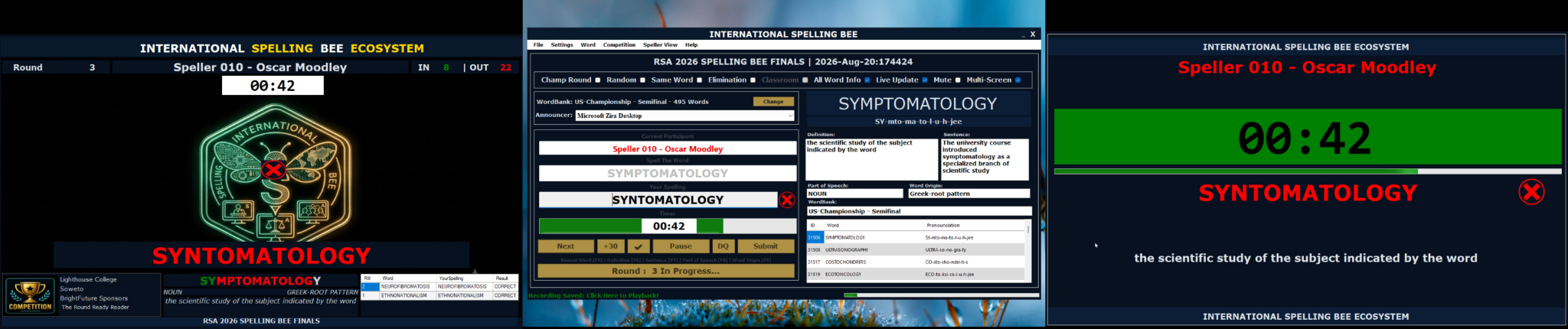
Compact control, rehearsal or classroom use.
Adjudicator plus Speller or Audience.
Adjudicator, Speller and Audience views.
| Item | Recommendation | Purpose |
|---|---|---|
| Computer | Windows 10/11, modern CPU, 16 GB RAM recommended, SSD and verified multi-display support. | Control, recording, screens and reports. |
| Dock | Powered USB-C, USB4, Thunderbolt or supported DisplayLink dock with required independent outputs. | Video, USB, Ethernet and power. |
| Displays | Two external 1080p monitors, TVs or projectors for full deployment. | Speller and Audience views. |
| Cables | Known-good HDMI/DisplayPort cables and labelled spares. | Stable signals. |
| Long runs | Active HDMI, optical HDMI or HDMI-over-Cat extender. | Distant venue display. |
| Audio | USB microphone or XLR microphone through interface/mixer. | Stable recording input. |
| Power | Surge protection and preferably UPS. | Event continuity. |
Exposes supported independent outputs.
Usually mirrors one signal.
Carries an existing signal farther.
Splits a compatible DisplayPort stream.
Simple direct input.
Stage microphone and controlled gain.
Combines authorised sources.
Private replay monitoring.
Open Display settings and match the numbered rectangles.
Press Windows + P and choose Extend, not Duplicate.
Match the physical left-to-right layout.
Use stable readable resolution and scaling.
Keep Adjudicator on the operator display; move Speller and Audience to external screens.
Detected, extended, correct inputs and views.
Correct input, moving meter and audible test.
Approved WordBank, order and report folder.
Spare cables and one-screen fallback tested.