
Participant Management
Register up to 999 participants, track school or grade groupings, and manage official competitor lists effortlessly.
The Competition Edition includes all Learning Edition capabilities and adds participant registration, live adjudication, three-screen presentation, audio recording and replay, and detailed reporting designed for official spelling events.
Need more detail? Read the Full User Guide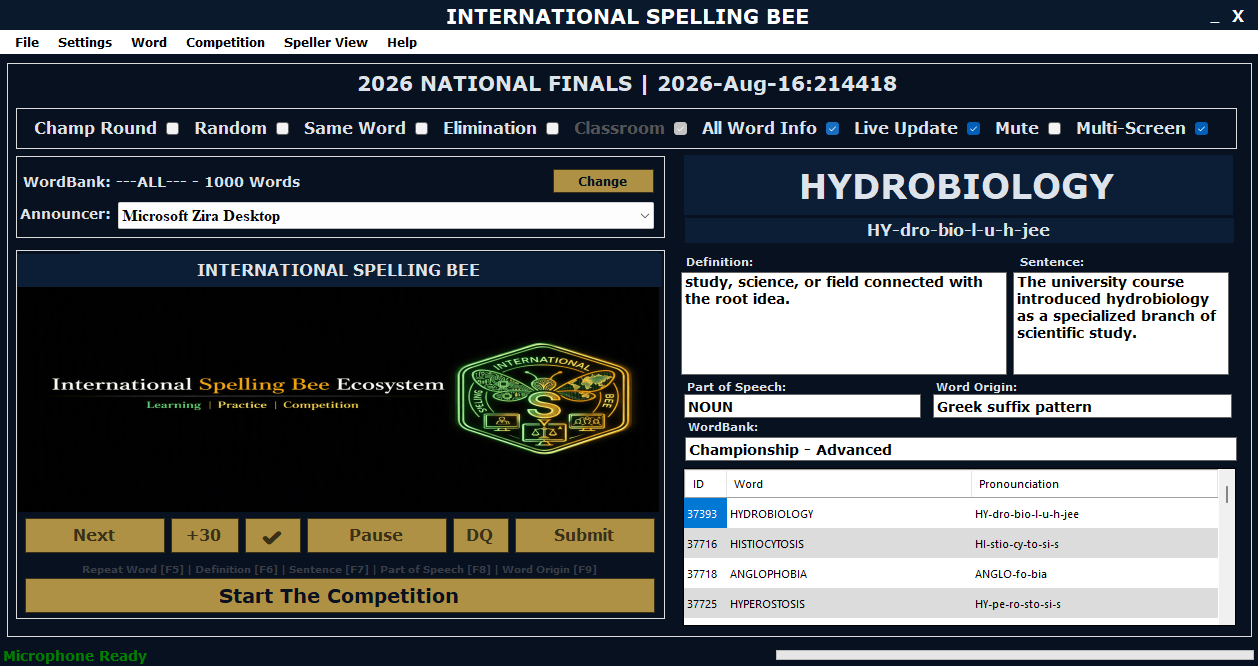
Manage every phase of your competition from a single controlled record—from bulk participant registration to final championship reporting.
Register up to 999 participants, track school or grade groupings, and manage official competitor lists effortlessly.
Log decisions instantly with clear Correct, Incorrect, and Challenge controls connected directly to live scoring tables.
Preserve every official attempt, audio recording, round time, and final placement report for absolute transparency.
Set up your event roster quickly with bulk participant import tools. Organize competitors by grade, region, or category, ensuring seamless check-in and round sequencing before the first word is announced.
Judges and operators can record spellings, manage appeals, and apply round rules instantly. The system prevents bottlenecks and maintains strict accuracy throughout intense knockout rounds.
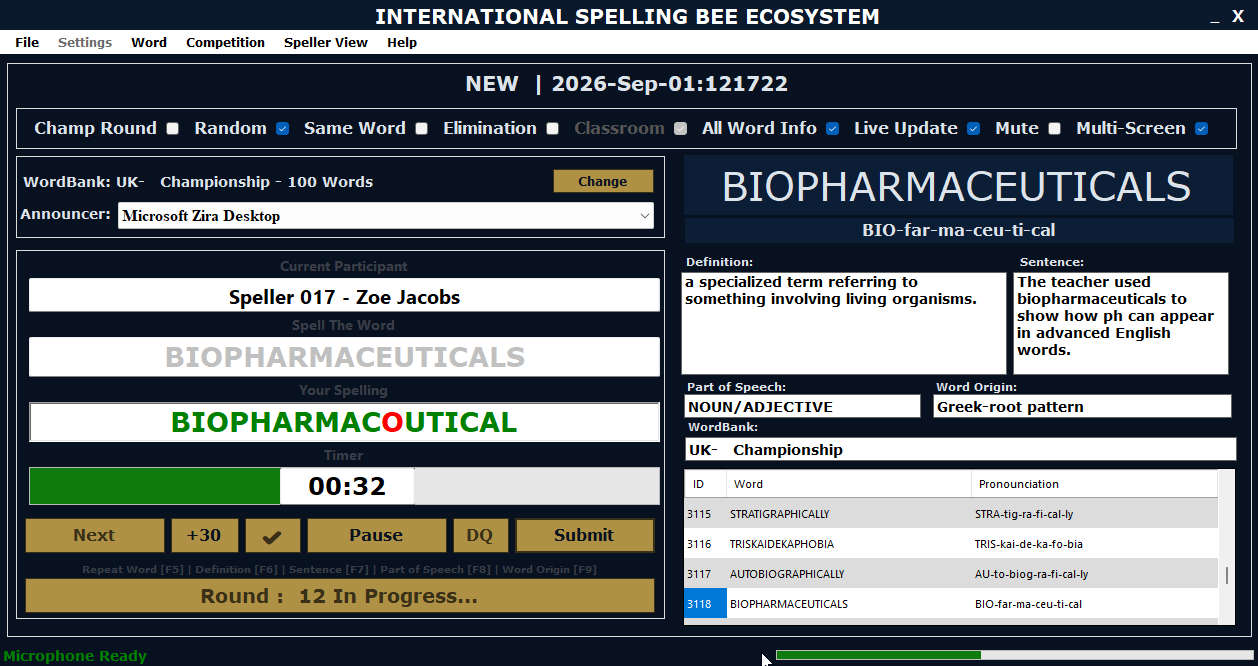
The Audience, Adjudicator, and Speller screens update together in real time from one live competition record.
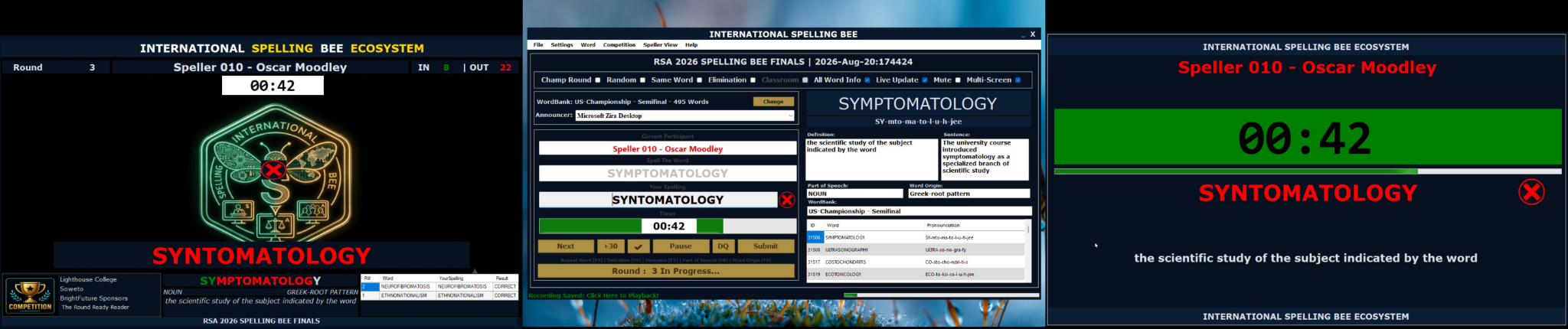
Displays competition sponsors, event identity, live statistics, leaderboards, and real-time speller status to the venue.
Central operator view for word delivery, participant order, decision logging, timing, and round progression controls.
A focused view showing active speller details, countdown timer, word definitions, and Speed Round metrics.
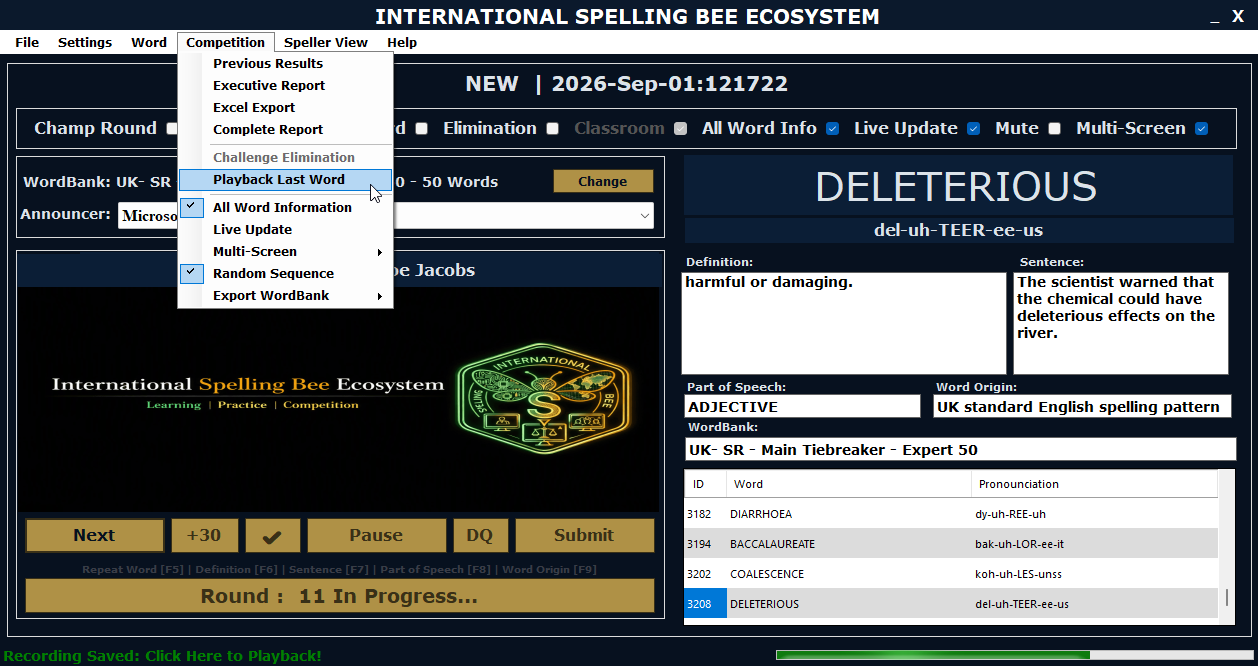
Capture spoken responses and system audio feeds during live competition rounds. Playback recordings instantly during judges' deliberations or formal appeals to ensure absolute fairness.
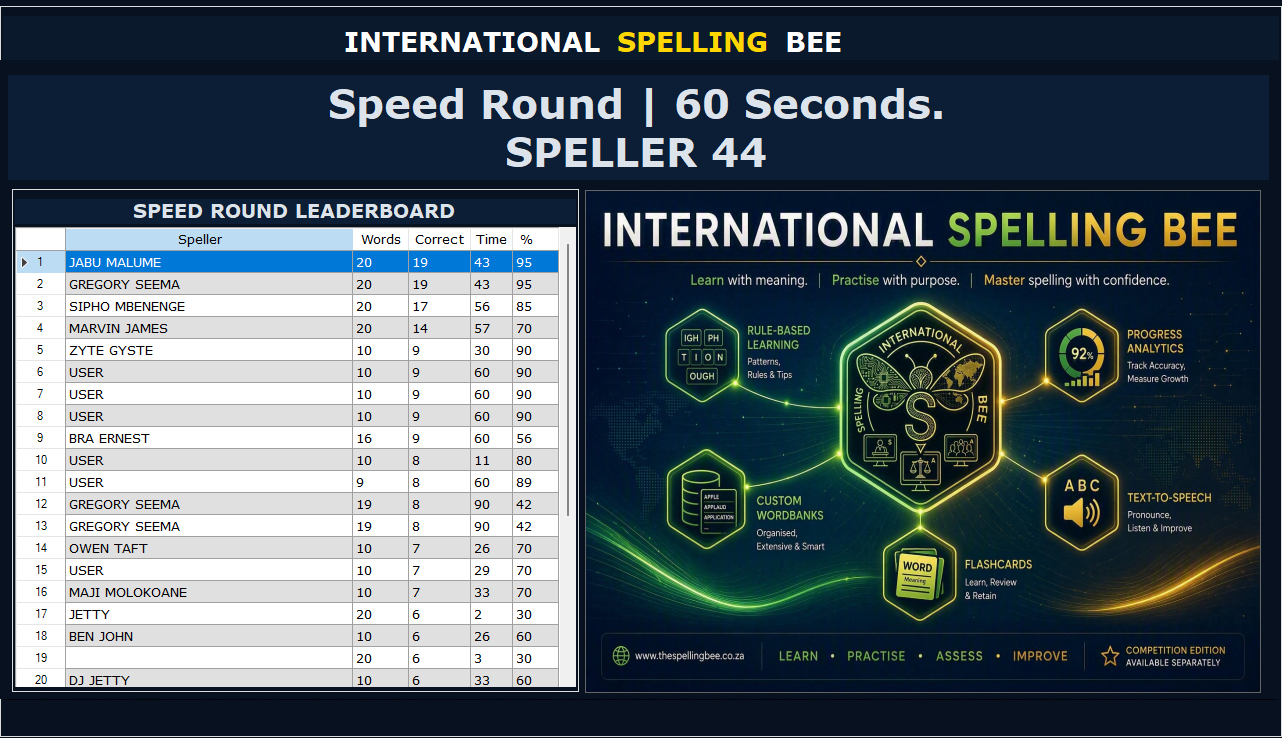
When scores are tied or championship rounds demand rapid recall, the Competition Speed Round delivers intense, timed challenges with live onscreen leaderboards.
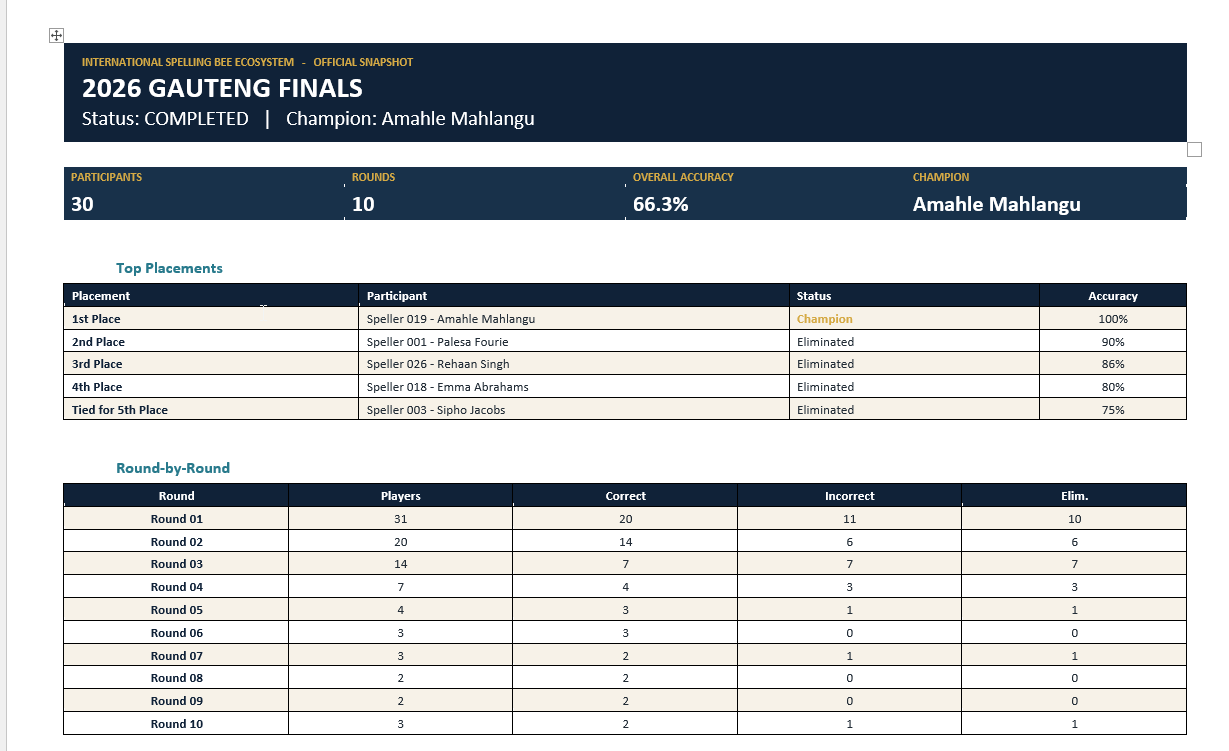
Generate professional reports detailing round outcomes, finalist placements, individual performance statistics, and official championship records ready for publication or archiving.
Discover how the Competition Edition can transform your spelling programme.